



.png?revision=1764341863)


iOS 18 New Features and Specifications
Apple Intelligence
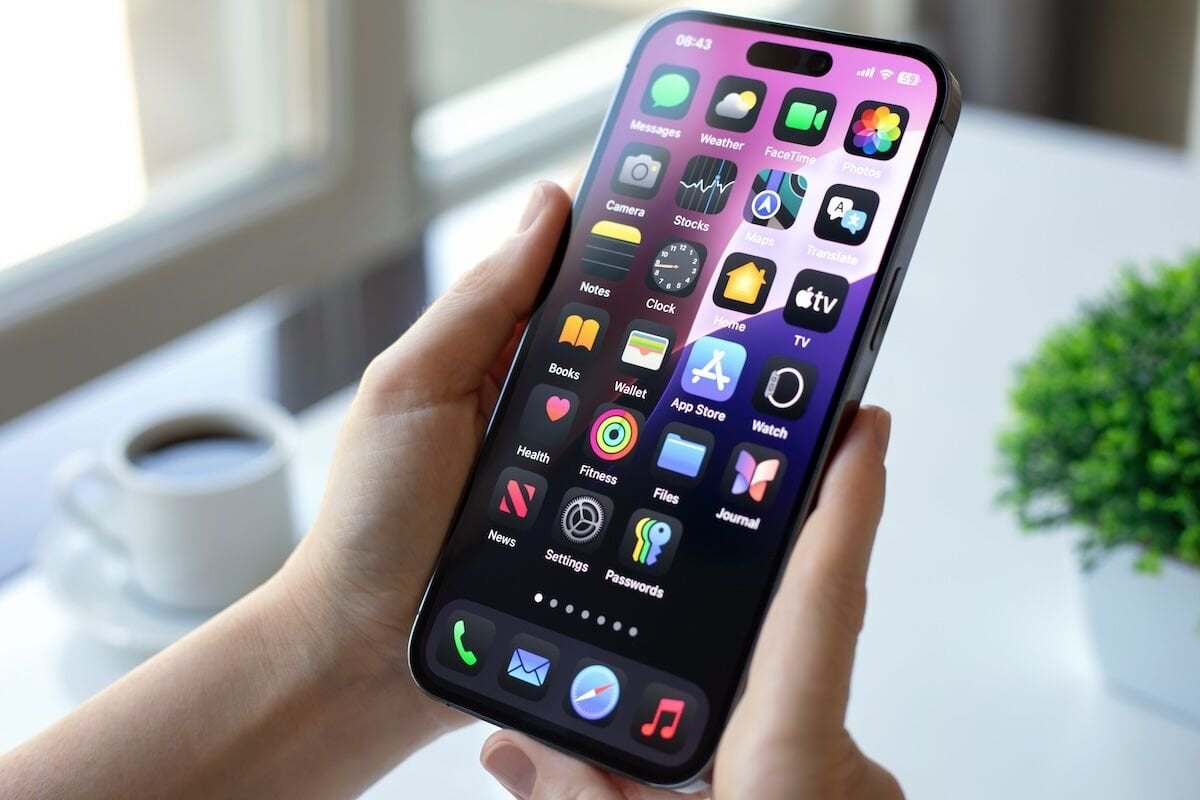
Apple Intelligence is the name given to a suite of artificial intelligence features found in iOS 18, iPadOS 18, and macOS Sequoia, powered by machine learning and large language models. Deeply integrated into Apple's latest operating systems, Apple Intelligence brings new capabilities to a range of applications. Apple Intelligence is currently being beta tested in iOS 18.1 and is now available to beta users.
Writing Tools
Writing Tools are designed to help you edit, correct, and improve your writing. They're a combination of features found in Notes, Pages, Mail, and other text-writing apps. They can be used to correct errors, find missing words, change your tone, and summarize content.
Proofreading: Proofreading checks your spelling and grammar by looking for spelling problems, incorrect verb forms, punctuation errors, and instances where you have used missing or incorrect words.
Rewrite: Apple Intelligence can change the tone of your email with the Rewrite option. For example, if you've written something very mundane, you can use the "Professional" setting to have AI rewrite it. Your core message and ideas are preserved, but the wording is cleaned up. So far, the rewrite options include friendly and professional.
Summary: As the name suggests, the summary provides a quick overview of what you've written. You can also enable the summary feature to list the key points in the text you've written or selected.
Smart Reply: In the Mail app, your iPhone can recognize the content of emails and suggest relevant smart replies so you can respond quickly.

Image Playground
Image Playground is a new app that lets you create images based on your ideas. Similar to ChatGPT, you can create an image with a prompt, and Apple also has a list of suggested concepts. Apple's concepts are organized into categories such as themes, locations, costumes, and more.
genmoji
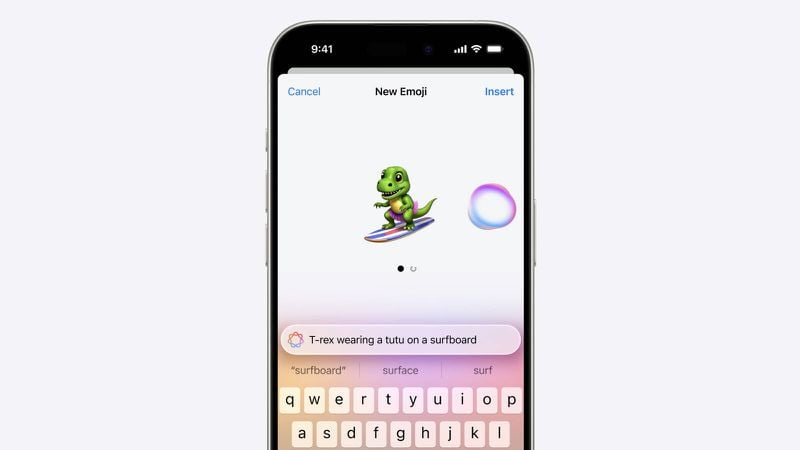
Genmoji is a tool designed to act like an emoji. With Genmoji, you can essentially create any emoji you want, so you're no longer limited to standard emojis; you can generate your own emojis with AI support using prompts.
Siri and Search
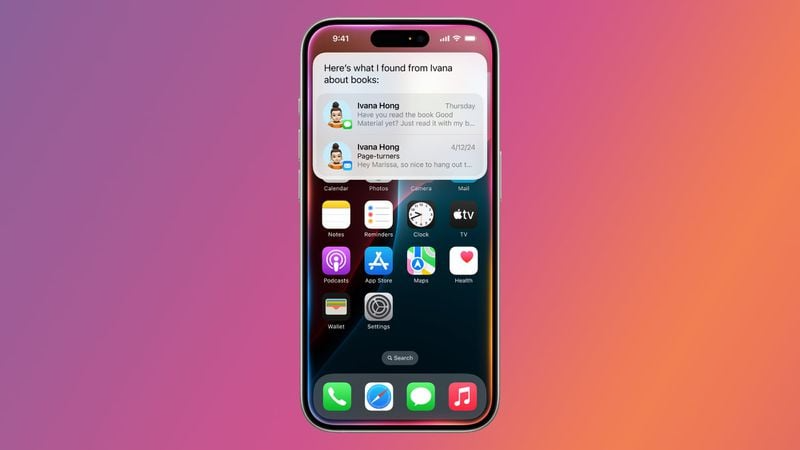
Apple Intelligence is revamping Siri and Search, making Siri even more intuitive and responsive to requests. Siri has a better understanding of language and can keep up with you even if you scramble or change your mind in the middle of a sentence. With improved contextual awareness and the ability to pull information from apps on your iPhone, Siri knows more about you and can help you more than ever before. Siri can see what's on your screen, so when you visit a website and say "send this to Eric," Siri sends the message. Better personal context means Siri can look up a movie recommended by a friend, find your passport number, or locate an important email. Siri can also move files, send email drafts, edit photos, add photos to messages, and much more.
The iPhone has a built-in "Type to Siri" feature that can be activated by double-tapping the bottom of the screen. Apple has redesigned Siri's visual interface; there's now a light flicker around the screen to let you know Siri is listening. It's a sleeker, more modern design. Siri can leverage a vast database of Apple product information, providing you with information about device features and settings, as well as tutorials on how to complete tasks on iPhone, iPad, and Mac.
ChatGPT Integration
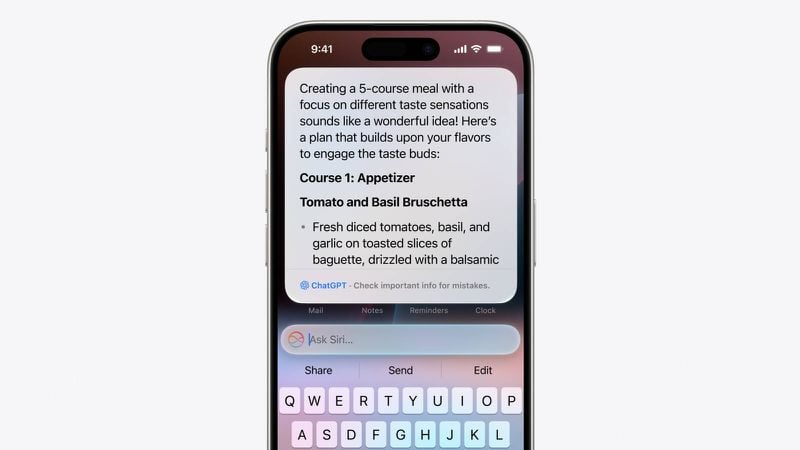
Apple is partnering with OpenAI to integrate ChatGPT into iPhone, iPad, and Mac. Siri can now direct complex requests, such as image creation or writing from scratch, to ChatGPT. With its Writing Tools, ChatGPT can create and display original content from scratch, going beyond what Siri can do.
You can open a long PDF, ask Siri what it says about a specific topic, and Siri can then delegate that to ChatGPT to generate a complete summary. Apple sees Siri as a handler for AI models and tools that utilize existing resources and provide you with an answer without the need for multiple apps. ChatGPT integration is optional, and Siri requests permission each time before sending a request to ChatGPT and OpenAI servers. Neither Apple nor OpenAI will follow up on requests unless you're signed in to a paid ChatGPT account.
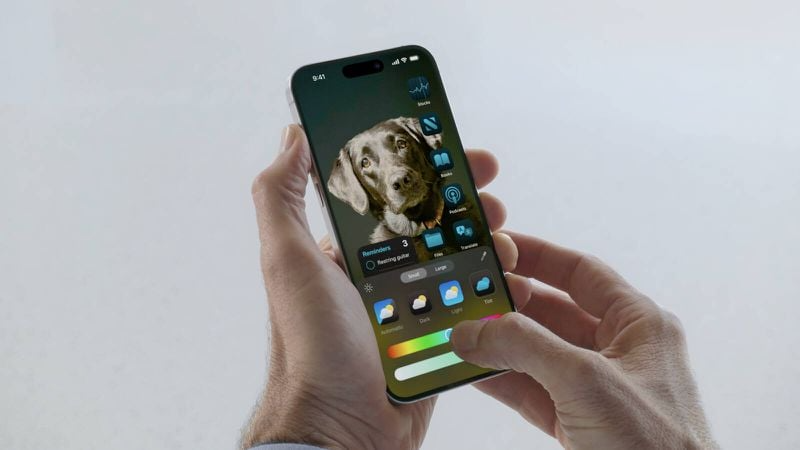
iOS 18 Design Updates
Home Screen
In iOS 18, apps and widgets can be placed anywhere on the iPhone's hidden grid, allowing you to have a home screen and app pages with just a few apps and widgets, leaving as much space as you want between rows of icons. You can't place an app icon exactly where you want on the screen, but you can rearrange icons around your wallpaper and have more free space than before. App names can be removed, saving space by reducing the size of icons and widgets on the Home Screen.
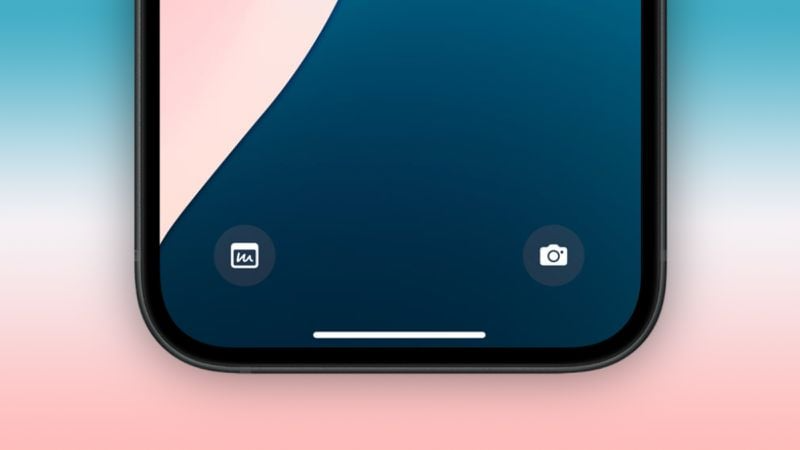
Lock Screen
The camera and flashlight options on the lock screen are now considered part of the control center, meaning you can interchange them with other control center controls. You can assign these buttons to do different things or turn them off entirely. This feature is useful for those who don't want to accidentally activate the camera or flashlight from the lock screen.
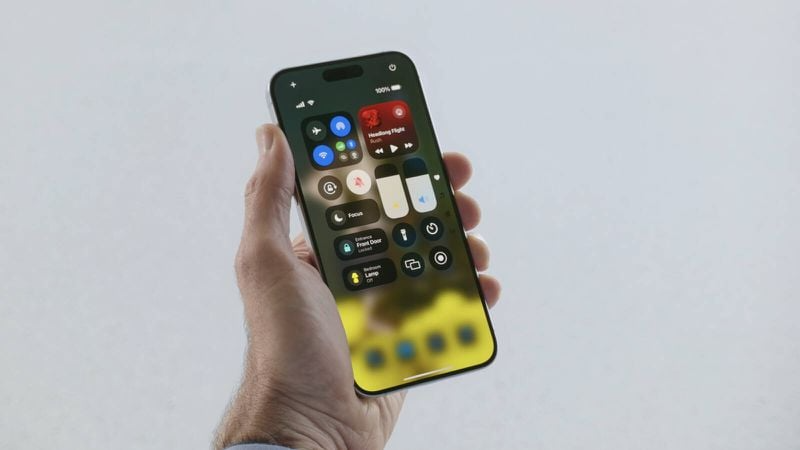
Control Center
Control Center has been revamped and now includes rearrangeable tiles and support for multiple pages, so you can put what you need most at the top. You can customize all Control Center options by adding new controls from Apple’s Controls gallery. Controls can be organized into separate pages for favorites, music, home, links, and more, and you can scroll up and down between Control Center pages. A long, sustained scroll will take you to your favorite app. Tapping a smaller group of controls, such as links or music, expands them into a full-screen view where you can interact with them.
Which iPhone models will get iOS 18?
● iPhone 15
● iPhone 15 Plus
● iPhone 15 Pro
● iPhone 15 Pro Max
● iPhone 14
● iPhone 14 Plus
● iPhone 14 Pro
● iPhone 14 Pro Max
● iPhone 13
● iPhone 13 mini
● iPhone 13 Pro
● iPhone 13 Pro Max
● iPhone 12
● iPhone 12 mini
● iPhone 12 Pro
● iPhone 12 Pro Max
● iPhone 11
● iPhone 11 Pro
● iPhone 11 Pro Max
● iPhone XS
● iPhone XS Max
● iPhone XR
● iPhone SE (2nd generation)
● iPhone SE (3rd generation)
iOS 18 once again demonstrates Apple's commitment to technology and user experience. This update promises a richer and more personalized experience for compatible devices. If you have a compatible iPhone model, get ready to take your mobile experience to the next level with iOS 18.
Irismo Store, Cyprus's technology store, brings you the best Apple products. Click now to browse iPhone models !