



.png?revision=1764341863)


iOS 26 Introduced: New Features Coming to iPhones

At its highly anticipated annual Worldwide Developers Conference (WWDC 2025), Apple once again broke with tradition and announced the latest version of its mobile operating system, the power behind iPhones. However, this announcement carries far more significance than a simple update. Introducing iOS 26, the rebranded operating system that will shape the future of the iPhone. Expected to be released to end users this fall alongside the new iPhone 17 models, iOS 26 will be available as a beta for Apple developers starting next Monday. A public beta version, open to all, is planned for release in July.
Apple emphasizes that the future of the iPhone lies in a brighter and more transparent design with iOS 26. Called "Liquid Glass," this new look brings glass-specific visual characteristics to iPhone screens, similar to the visionOS interface on Vision Pro. So why do we know this version represents the future of the iPhone? Because Apple is undertaking a major rebranding initiative to create symmetry in its software naming conventions across its entire product line. In line with this strategy, the new iPhone operating system has been named iOS 26, referencing next year. This change will also be consistent with the naming conventions of other Apple operating systems such as macOS Tahoe 26 and watchOS 26. 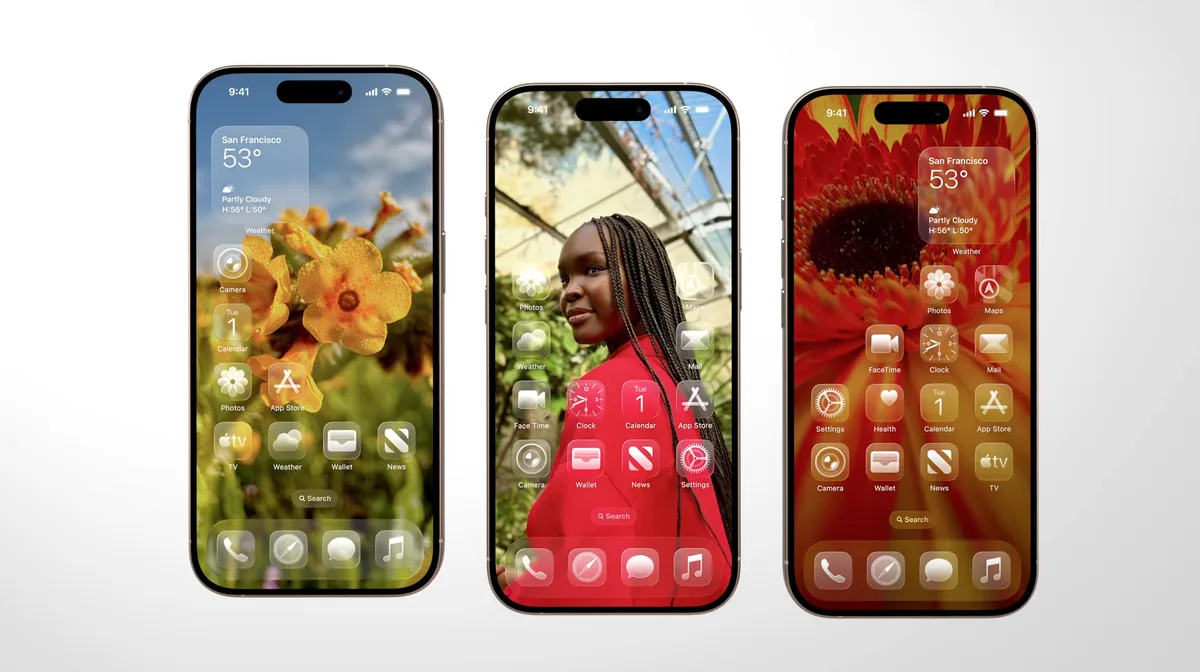
Transparent and New: Liquid Glass Design
With Jony Ive, Apple's former Director of Design, taking over software design in addition to hardware, the flat and minimalist user interface era introduced in iOS 7, which lasted for over a decade, is coming to an end, giving the iPhone a brand-new look. This new design philosophy is spreading across the entire Apple product line, from iOS to watchOS, tvOS to iPadOS.
The Liquid Glass interface also offers a third way to display app icons on the iPhone home screen. No longer limited to Light and Dark modes, iOS 26 includes a new look called "All Clear." In this mode, each icon takes on a colorless, completely transparent glass appearance. Lock screens can also have an enhanced 3D effect thanks to spatial scenes that use machine learning to add depth to your background photos. 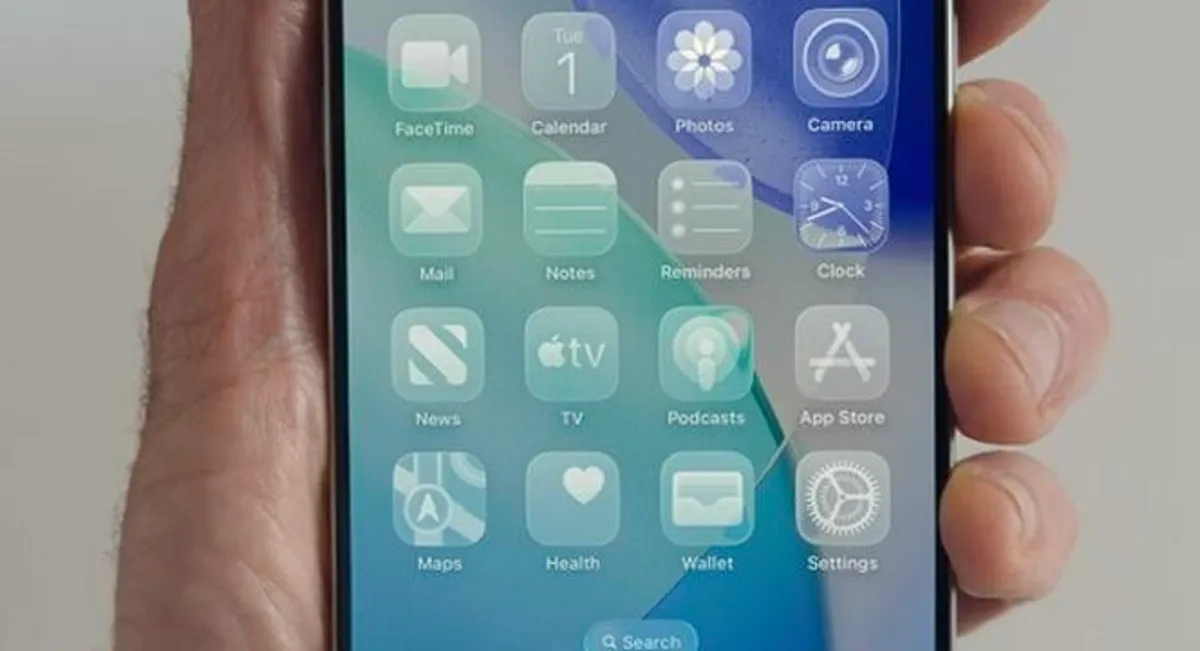
The new All Clear icon appearance in iOS 26 is part of the Liquid Glass design.
Dynamic and Adaptive Lock Screen
Liquid Glass's most defining characteristic is its transparency; like real-world glass, it interacts with the light and color of objects behind and near it. But it's more than just a glassy appearance. The "liquid" part of Liquid Glass, in Apple's words, refers to the ability of controls to merge, adapt, and dynamically transform. In the example Apple demonstrated, the glassy clock numerals on the iPhone lock screen flexed to make room for an image of a dog, and even shrunk as the image slid to accommodate incoming notifications. The Dock and widgets now appear as round, glassy panels that float above the background. 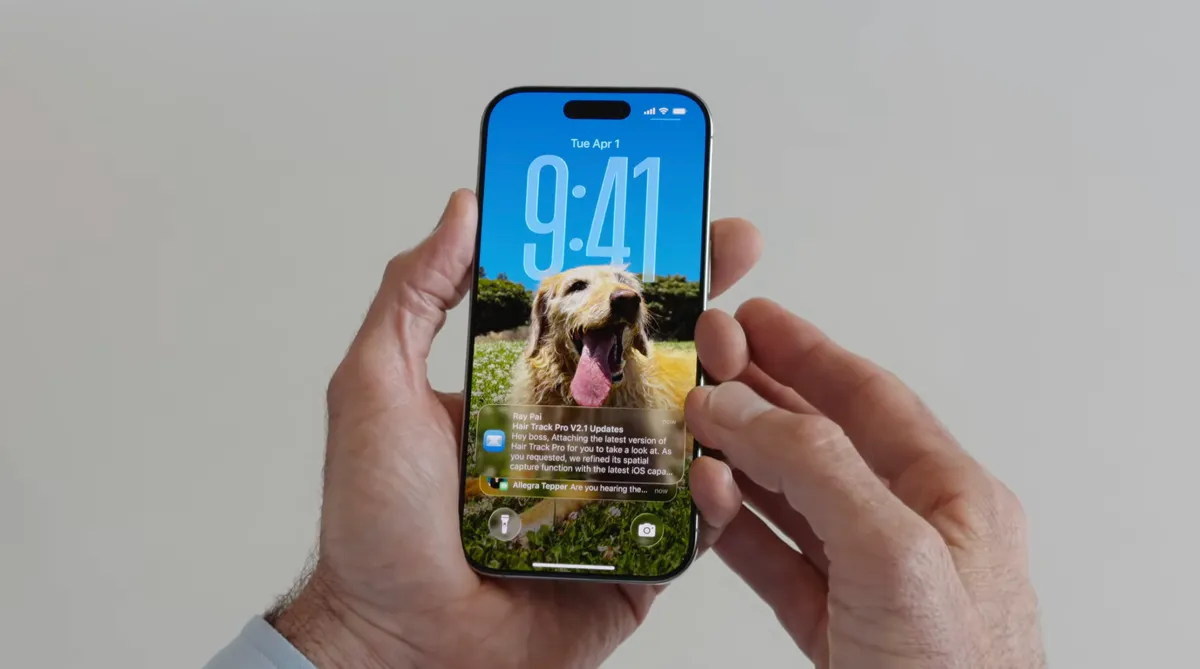
As notifications fill the bottom of the screen, the theme in the background image is pushed upwards, and the time numbers are resized to adjust accordingly.
Camera and Photos apps are becoming even more minimalist.
The Camera app is getting a new, simplified interface. You could argue that the current Camera app is already quite minimalist, designed to make it easy to quickly frame a shot and press the large shutter button. But the moment you delve into the edge features, you're met with a strange mix of hidden controls and hard-to-understand icons. 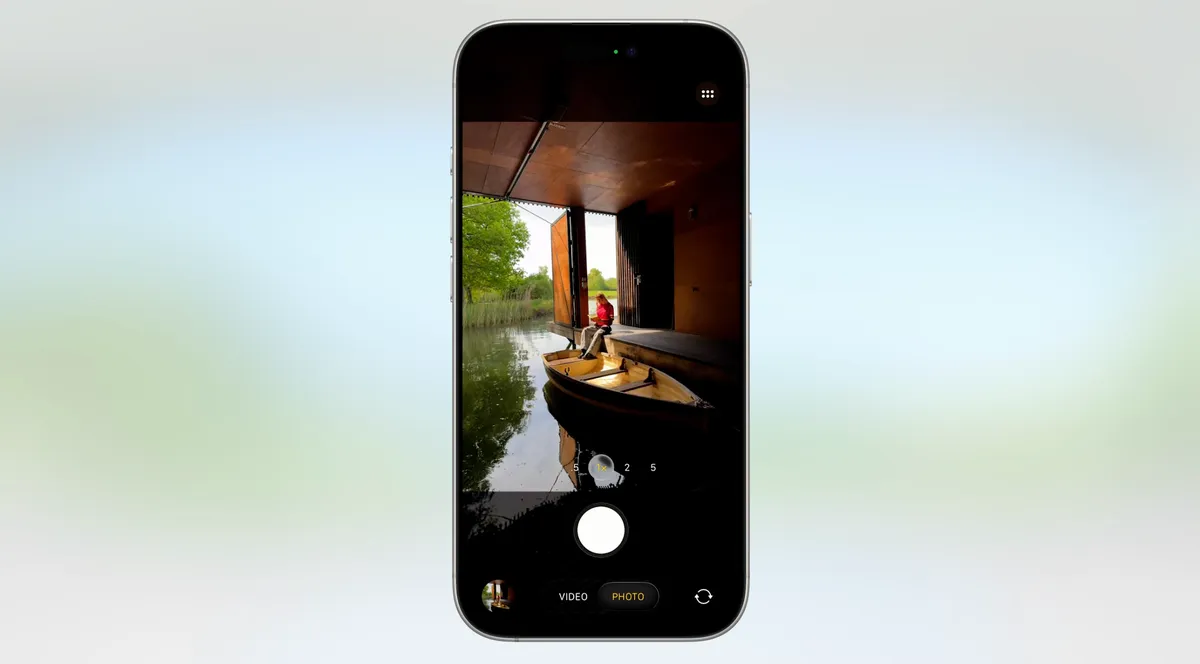
The camera app has fewer distractions.
The new Camera app in iOS 26 takes minimalism to the extreme with a "new and more intuitive design." This simplified design displays only two controls: Video or Camera. Swipe left or right to switch between modes. Swipe up for settings like aspect ratio and timer, and tap for additional preferences.
With the updated Photos app, viewing your photos will be a better experience. This is a welcome change that customers have been persistently requesting since the confusing testing of iOS 18. Instead of a long and difficult-to-navigate scrolling interface, the Photos app is getting back the Liquid Glass menu at the bottom of the screen. 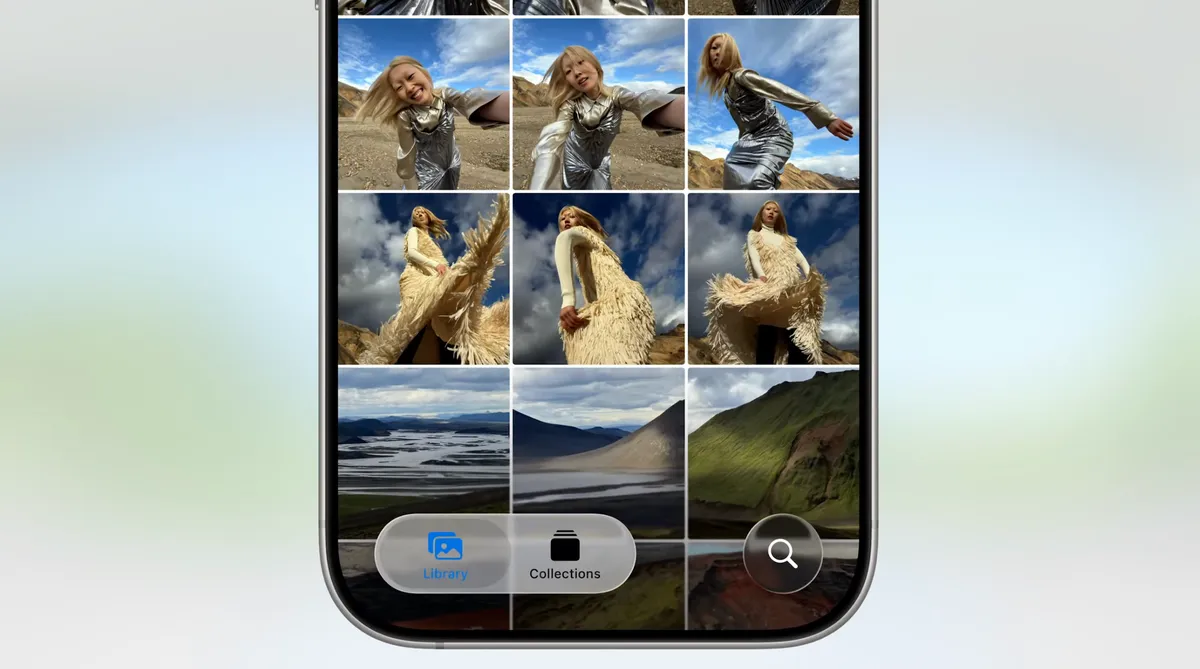
The Photos app is getting a nice new feature.
The phone app is being updated.
The Phone app was one of the most faithful to its origins compared to others. It had a simple interface with large buttons that gave you the feeling of holding an old-fashioned handset or a pre-smartphone cell phone. With iOS 26, this look is finally being updated. The new version not only refreshes the overall interface but also offers a unified layout that takes advantage of the larger screen area on today's iPhone models. 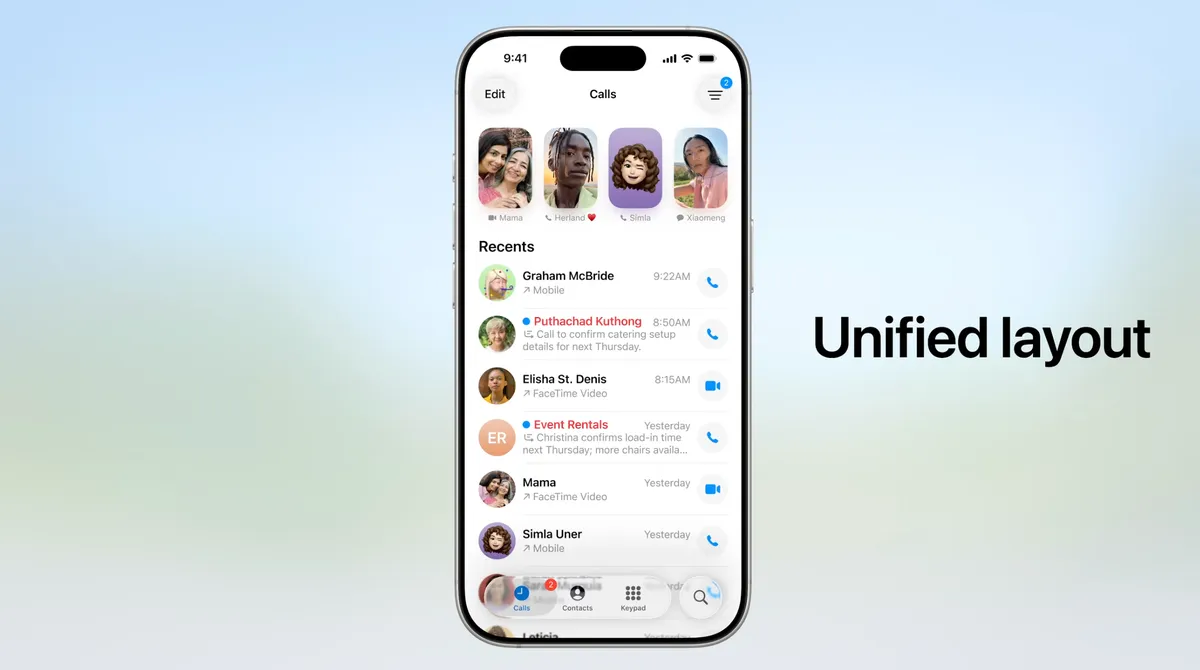
But it's not just the appearance that's changing. The phone app is also becoming more useful for dealing with unwanted calls. The Call Screening feature automatically answers calls from unknown numbers. Your phone only rings when the caller provides their name and the reason for the call.
But what about the time lost while waiting? Hold Assist automatically detects the hold music and can mute it. However, it keeps the call connected. When a live agent connects, the phone rings again, and the agent is notified that you will be on the line shortly.
New features in the Messages app.
The Messages app is arguably one of the most used apps on the iPhone, and Apple is making the experience even more vibrant with iOS 26. You can add backgrounds to the chat window, including dynamic backgrounds showcasing the new Liquid Glass interface. 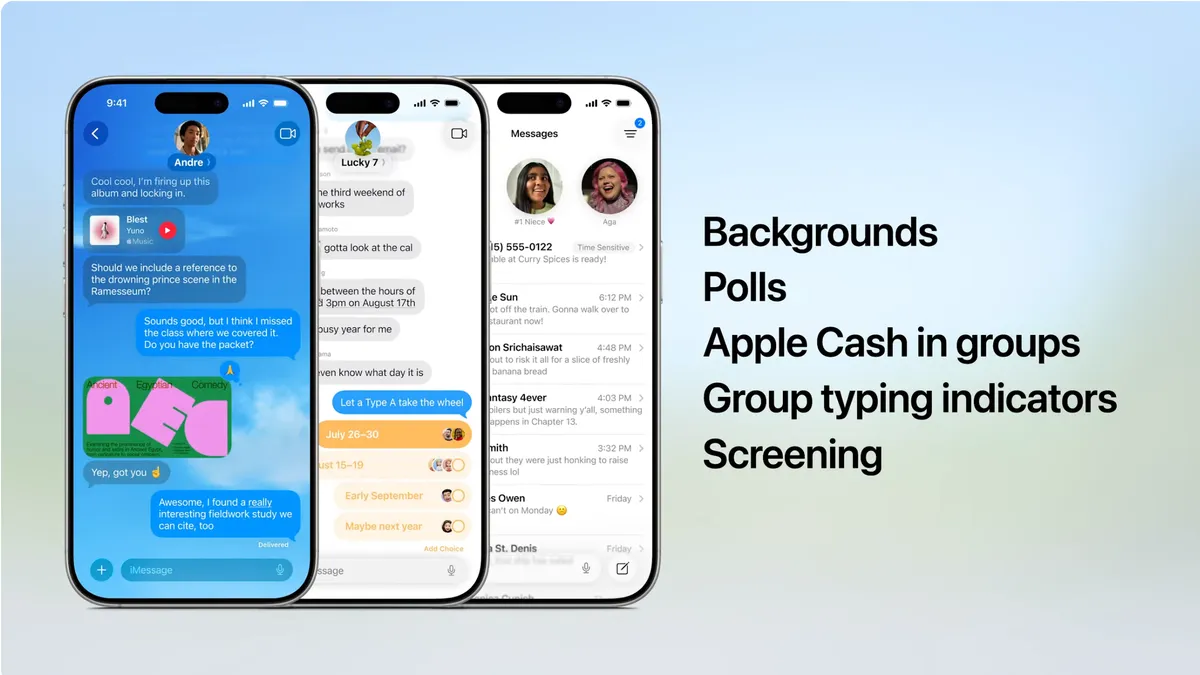
Spice up your daily chats with backgrounds and more group features.
In addition to the new look, group chats in Messages can now include polls that everyone in the group can participate in. No more scrolling back to find the restaurant Brett recommended for lunch that you missed. Other members of the chat can also add their own items to a poll.
Another useful feature is its ability to better detect spam texts and filter unknown numbers. This ensures that the messages you see in the app are what you're actually looking to see, not distractions.
Safari Gets Out of Its Own Way
In the Safari app, the Liquid Glass design makes the tab bar float above the webpage (though it looks like it's right where your thumb would be, so it will be interesting to see if you can move the bar to the top of the screen). The tab bar shrinks as you scroll down. 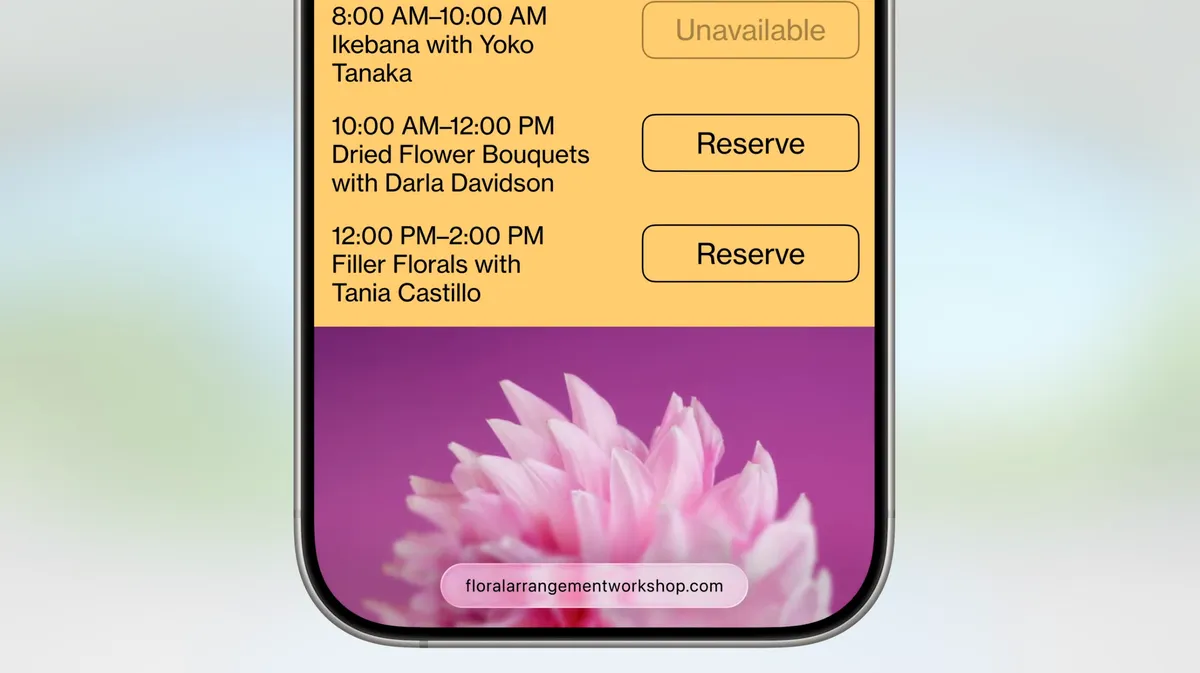
FaceTime focuses on calls, not controls.
FaceTime is also getting a minimalist look, with controls in the bottom right corner disappearing during calls to make way for you. On FaceTime's homepage, posters of your contacts, including video clips from previous calls, are designed to make the app more appealing. 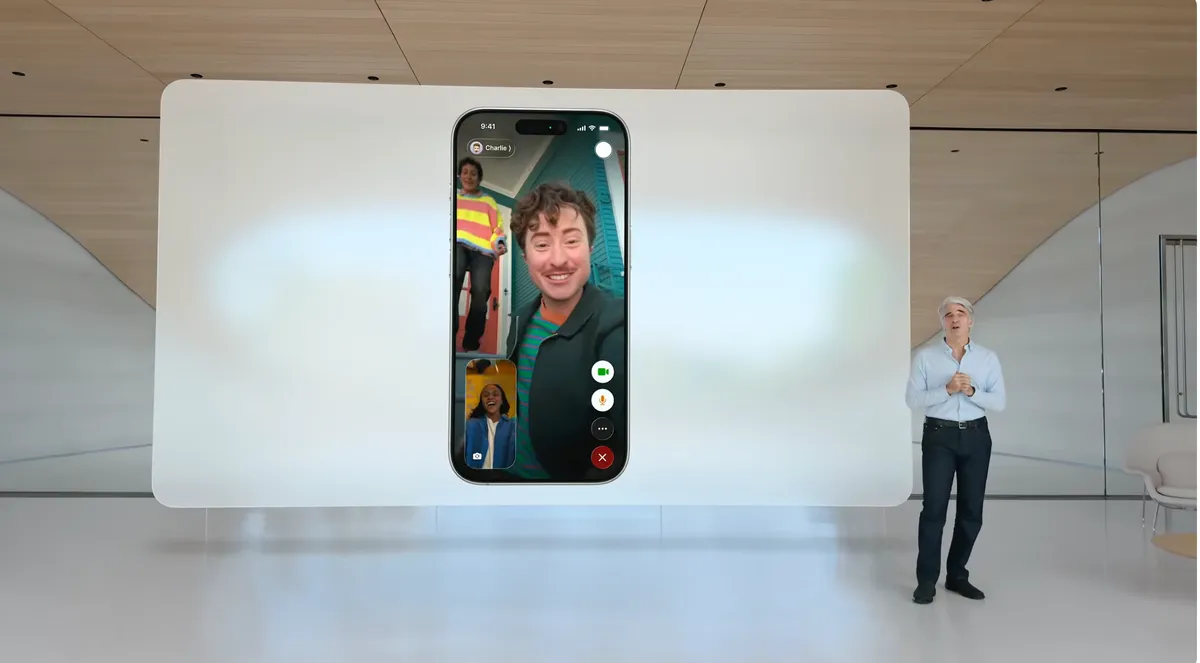
New Music App Features
Did you love the melody of a song your friend was playing but couldn't understand the lyrics? The music app includes a new lyric translation feature that displays the lyrics along with the song as it plays. And, for example, if you want to sing along to one of their favorite K-pop songs but can't speak or read Korean, the lyric pronunciation feature spells out the correct way to reproduce the sounds. The AutoMix feature blends songs seamlessly like a DJ by matching rhythms and stretching time. If you find yourself obsessively listening to artists and albums over and over again, you can pin them to the top of your music library for quick access. 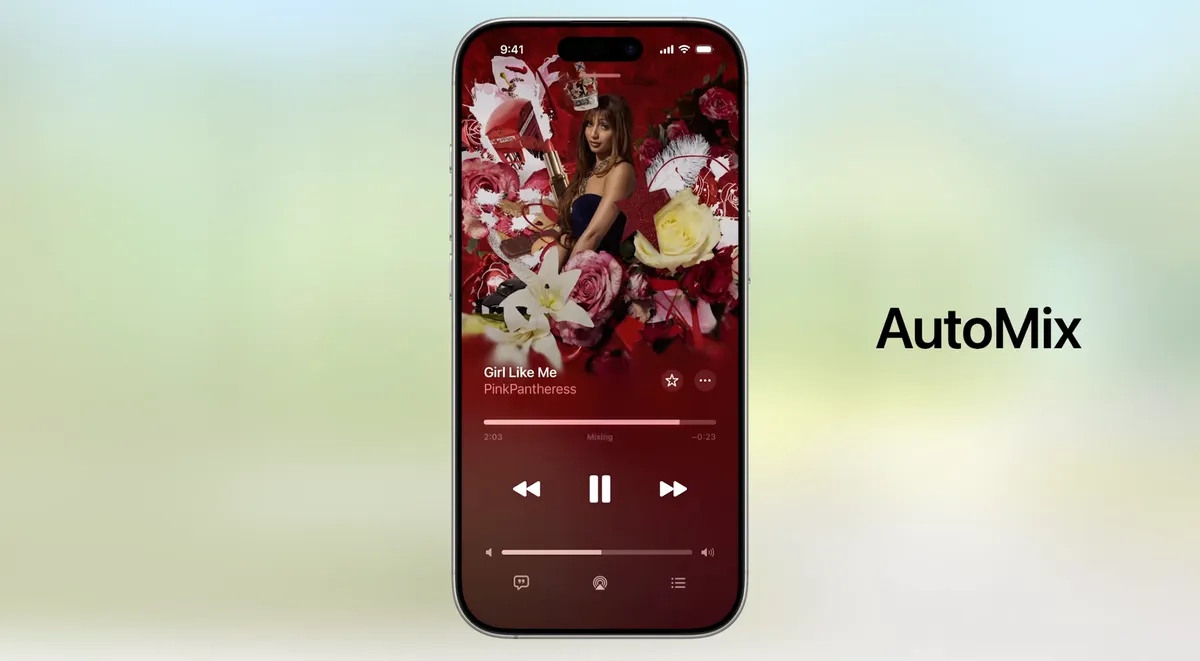
Maintain the rhythm with AI-based song transitions using AutoMix.
New Games App
The iPhone may not have the same gaming passion as Nintendo's Switch or Valve's Steam Deck, but the fact remains that iPhones and Android phones are heavily used for gaming. Apple claims that half a billion people play games on their iPhones. The Games app acts as a dedicated portal for Apple Arcade and other games. Of course, you can access these games through the App Store as well, but the Games app makes it much easier and faster to jump straight into the game. 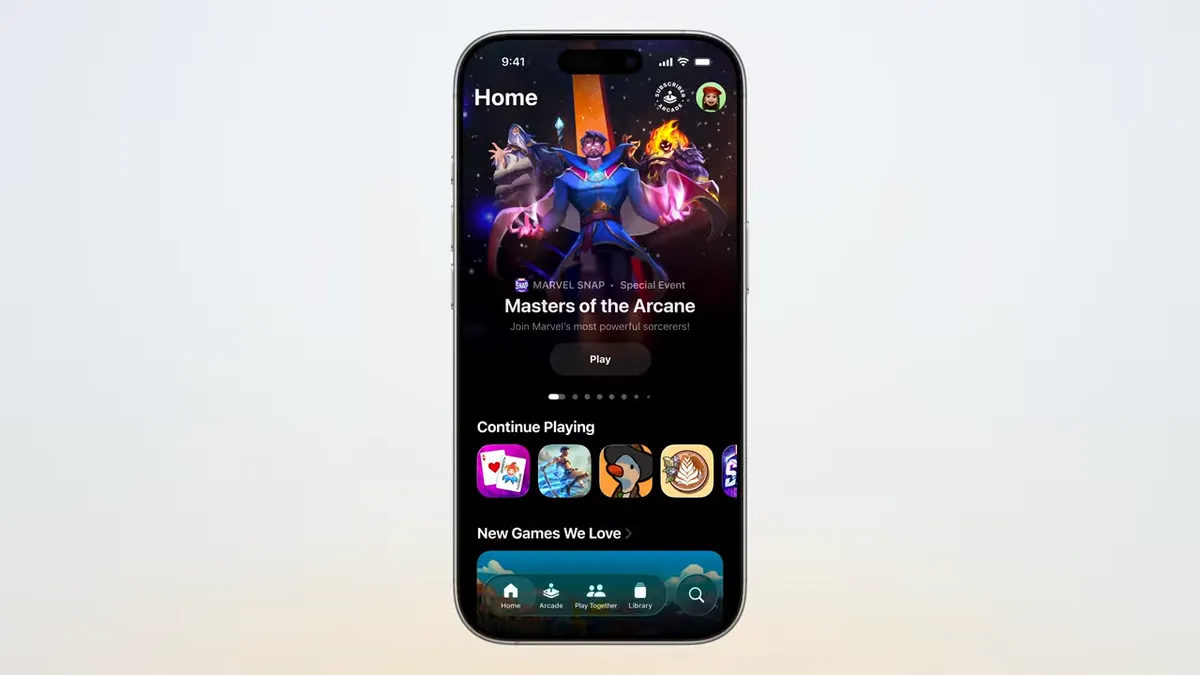
The new games center features a simple control screen that lets you navigate all your Apple games on any device.
Live Translation that Improves Calls and Messages
While not exclusive to iOS, Apple's new live translation feature offers an ideal experience on the iPhone when communicating with others. This feature uses Apple Intelligence to allow you to speak with someone who speaks a different language in near real-time. Available in the Messages, FaceTime, and Phone apps, it displays live translated captions during a call. 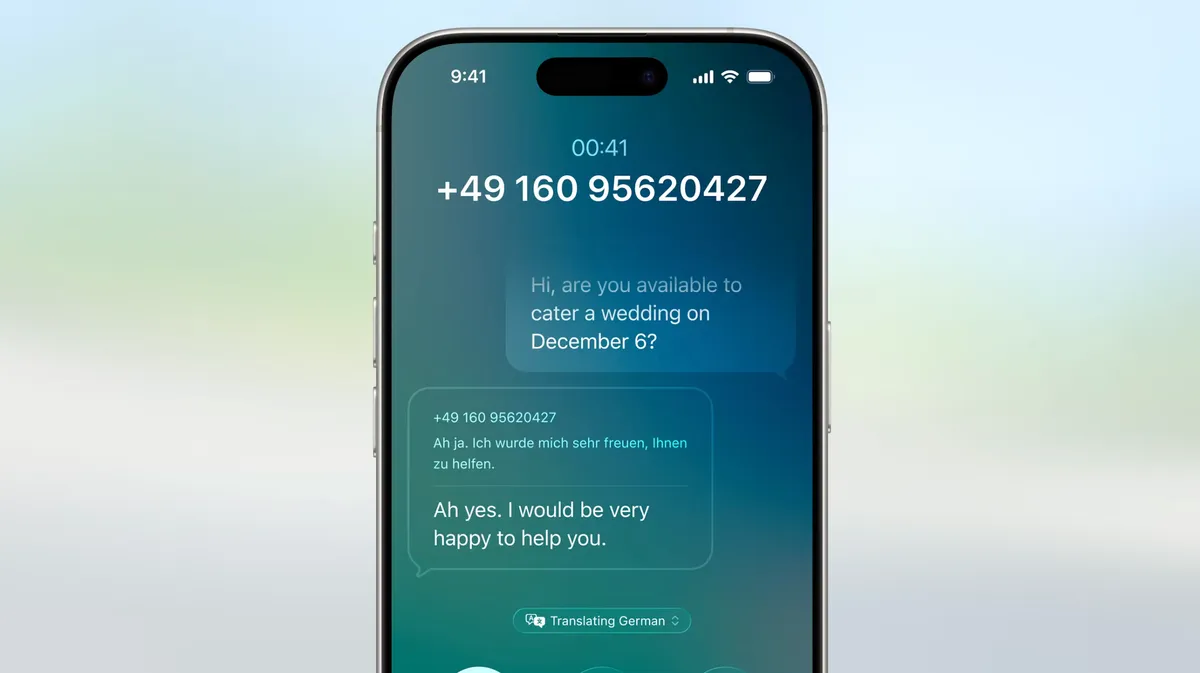
Live translation during voice call
Maps App is Becoming More Personalized
Updates to the Maps app sometimes involve adding more details to popular areas or restructuring how you save locations. The app now notes your frequently traveled routes and can warn you about potential delays before you set off. 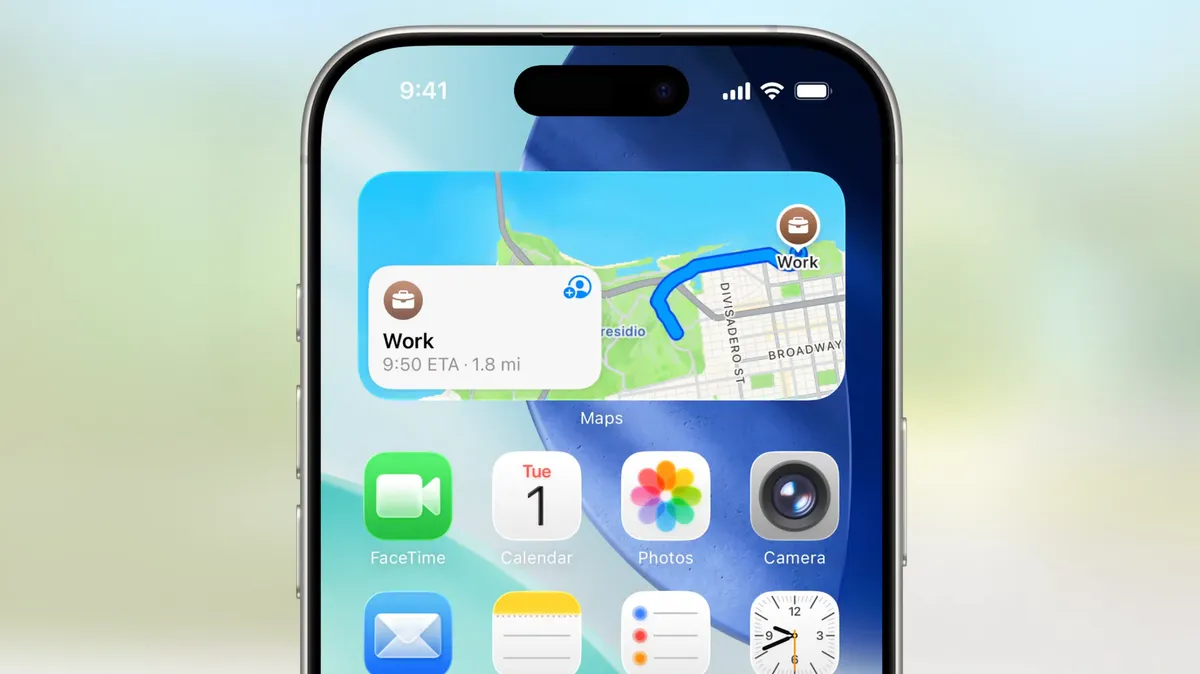
The Maps widget displays a frequently used route.
It also includes a welcome feature for those who mix up their favorite restaurants: visited locations. The app notes how many times you've been to a place, whether it's a local business, diner, or tourist spot. It organizes these by category or other criteria like city to make it easier to find next time.
New CarPlay Features
Liquid Glass is also coming to CarPlay in your car; it offers a more compact design that doesn't obstruct other elements like the map when a call comes in. In Messages, you can use tapback for easy access and pin chats. 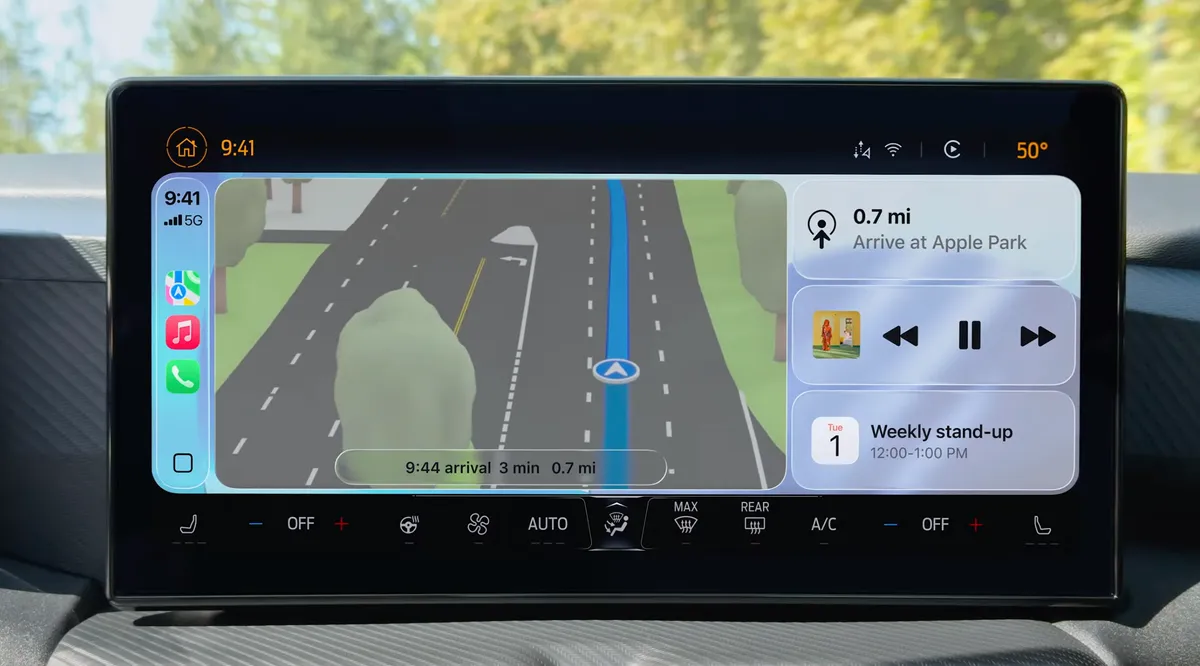
Liquid Glass and the new CarPlay interface.
Widgets are now part of the CarPlay experience, so you can focus only on the data you need, such as the current weather. Live Activities also appear on the CarPlay screen, so you'll know when your coffee will be ready or when a friend's plane will land.
Improvements to the Wallet App
The Wallet app already serves as a central hub for using Apple Card, Apple Pay, electronic car keys, and storing tickets. In iOS 26, you can create a new Digital ID that functions like a passport (but doesn't replace a physical passport) for age and identity verification for domestic travel, including TSA scans at airports. 
The wallet app supports national IDs for age and identity verification.
The app also lets you redeem rewards and set up installment payments not only for online orders but also when you purchase items in-store. With the help of Apple Intelligence, the Wallet app can help you track product orders even if you don't use Apple Pay. It pulls details like tracking numbers from emails and texts, gathering this information in one place.
New Features Powered by Apple Intelligence
While Apple Intelligence features were heavily featured at last year's WWDC, improvements in AI technology were less prominent this year and were sprinkled throughout the announcements during the WWDC keynote.
Instead of creating a Genmoji from scratch, you can also design a new Genmoji by combining existing emojis. For example, as in Apple's example: "When you're the last one to understand the joke in a group chat," you can combine a sloth and a lightbulb emoji. You can also change the facial expressions of familiar people in your Genmoji to your liking. 
Image Playground adds the ability to leverage ChatGPT's image rendering tools to go beyond the app's animation or drawing styles.
Visual Intelligence could already use the camera to decipher what was in front of the lens. Now, this technology also works on the content of the iPhone's screen. It does this by taking a screenshot (while pressing the sleep and volume up buttons) and then adding a new Image Search option to find results on the web or in other apps like Etsy within that interface. 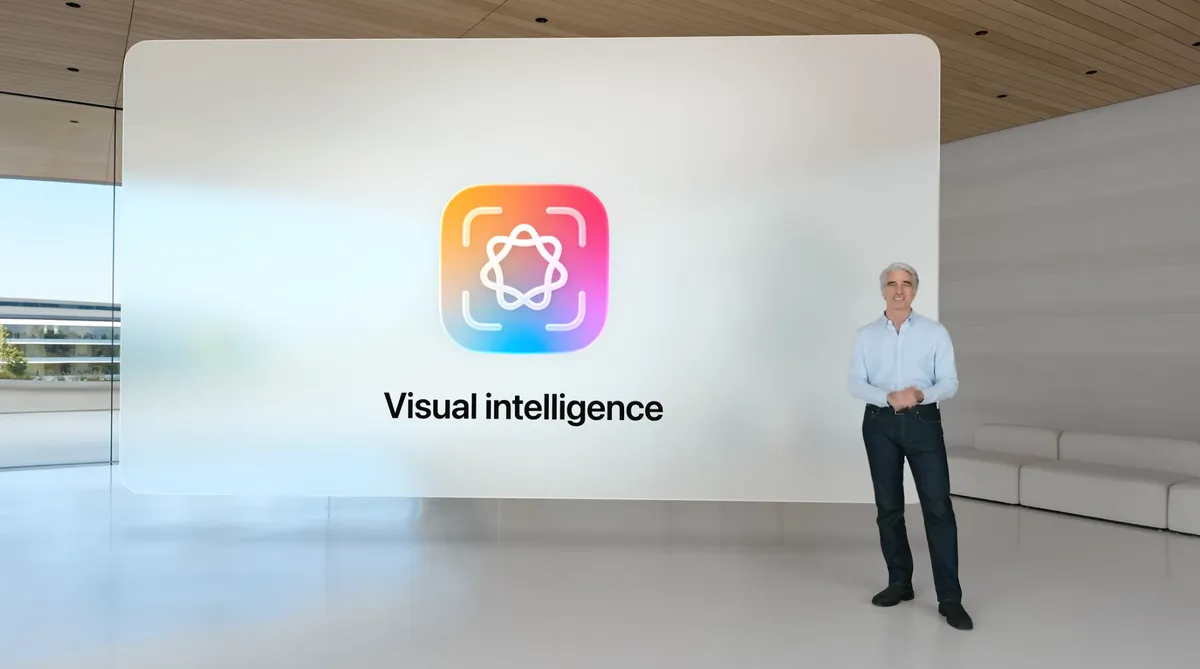
This is also a way to add event details from images you come across, such as concert posters or large meetings. (Perhaps this could work for QR codes too?) In the screenshot interface, Visual Intelligence can parse the text and create an event in the Calendar app.
Some iOS 26 Updates Apple Didn't Mention
- If you have AirPods or AirPods Pro with the H2 chip, you can use the AirPods Camera Remote to start video recording on your iPhone by pressing and holding one of your AirPods.
- You can choose your own snooze time for alarms between 1 and 15 minutes.
- Audio recording options have been expanded; high-quality recording during conference calls and high-resolution recording in the Camera app are now available with AirPods and AirPods Pro featuring the H2 chip.
- Accessibility features include "a brand-new experience designed with Braille users in mind," more options in the Motion Cues feature to prevent motion sickness, and "a more customizable reading experience."
- Reminders use Apple Intelligence to "suggest tasks, grocery items, and follow-ups based on emails or other text on your device."
- The journaling application supports multiple journal entries, inline views, and a map view that tracks where journal entries were made.
- Parental controls have been updated in unspecified ways, including "Communication Limits, Communication Security, and App Store-wide improvements."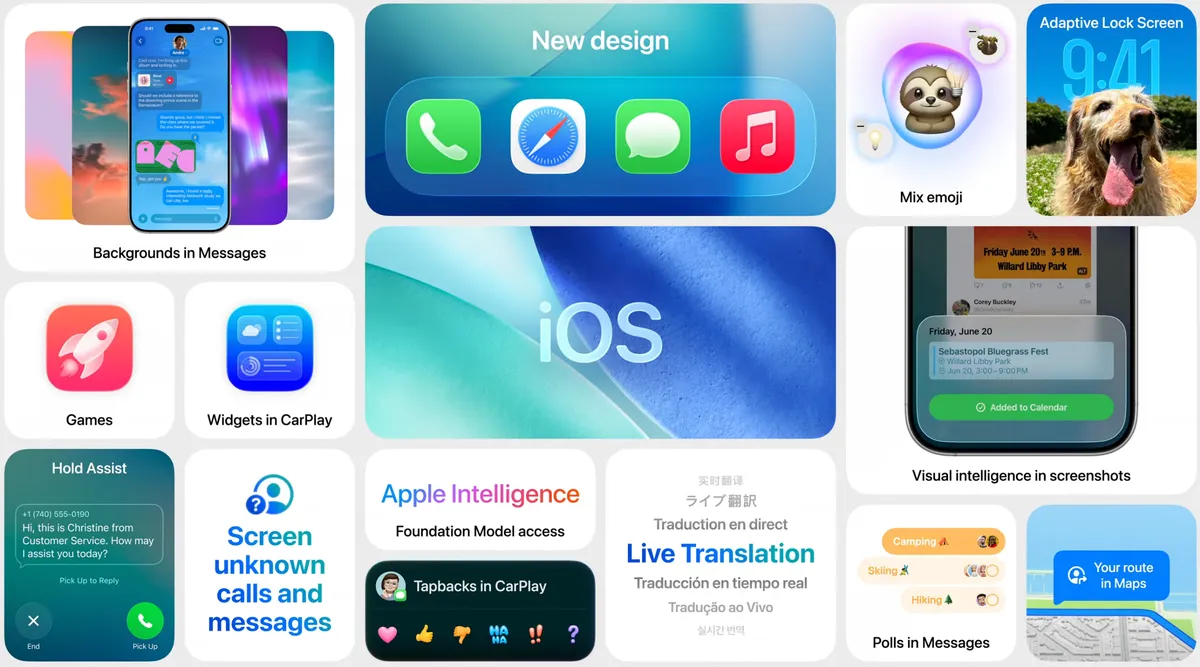
When will iOS 26 be released?
The final version of iOS 26 will be released in September or October alongside the new iPhone 17 models. Meanwhile, developers will have access to the first developer betas starting Monday, with the first public beta coming in July.
iPhone Models Compatible with iOS 26
iOS 26 will work on iPhone 11 and later models, including the iPhone SE (2nd generation and later). These include:
- iPhone 16e
- iPhone 16
- iPhone 16 Plus
- iPhone 16 Pro
- iPhone 16 Pro Max
- iPhone 15
- iPhone 15 Plus
- iPhone 15 Pro
- iPhone 15 Pro Max
- iPhone 14
- iPhone 14 Plus
- iPhone 14 Pro
- iPhone 14 Pro Max
- iPhone 13
- iPhone 13 mini
- iPhone 13 Pro
- iPhone 13 Pro Max
- iPhone 12
- iPhone 12 mini
- iPhone 12 Pro
- iPhone 12 Pro Max
- iPhone 11
- iPhone 11 Pro
- iPhone 11 Pro Max
- iPhone SE (2nd generation and later)