



.png?revision=1764341863)


Find My iPhone: How to Locate a Lost or Stolen iPhone?

Losing our iPhone is incredibly frustrating. It might be stuck between the cushions of a sofa or suddenly disappear from our bag. Luckily, Apple offers help. Thanks to the 'Find My iPhone' feature, we can track our device on a map in seconds, opting for smart solutions instead of hours of panic.
This guide explains step-by-step how to enable and use the Find My iPhone feature, and how it integrates with other Apple devices.
What is Find My iPhone?
Find My iPhone is a feature that allows us to locate lost or stolen Apple devices on a map. It lets us view our devices such as iPhone , iPad, Macbook , Apple Watch, and AirPods in one place.
For the system to work, our devices must be connected to the internet and location services must be enabled. We can also see the devices of family members or friends if they have shared their location with us.
How to enable Find My iPhone on iPhone or iPad?
1. We open the Settings app.
2. We tap on Apple ID.
3. We go to the Find My iPhone option.
4. We are activating the feature.
5. By enabling the "Send Last Location" option, we can see the device's last location even if the battery is dead. 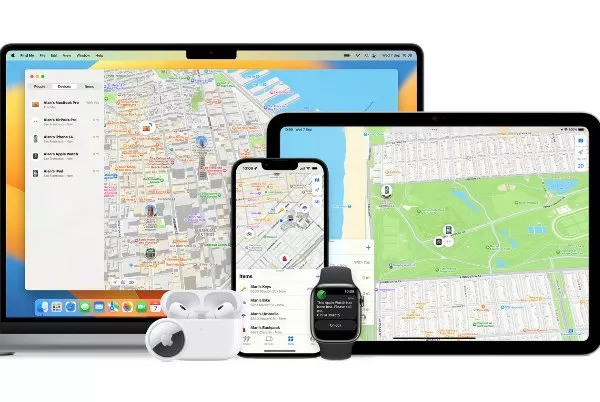
How to enable Find My iPhone on a Mac?
1. Click on the Apple menu in the upper left corner.
2. We follow these steps: System Preferences > Apple ID > iCloud.
3. We check the Find My Mac box.
Finding your iPhone using a web browser.
1. We go to icloud.com .
2. We sign in with our Apple ID.
3. From the home screen, tap the Find My iPhone icon.
How to use Lost Mode?
1. We sign in to iCloud.
2. We open the Find My iPhone app.
3. We select the lost iPhone from the list of devices.
4. We click on the Enable Lost Mode option.
5. We set a secure password.
6. We enter a phone number and a message that will appear on the screen.
7. After confirmation, the device enters Lost Mode.
Tracking our Apple devices on Maps
Lost or Stolen iPhone
We can view the device's real-time location on a map by selecting it from the Find My app or iCloud. If it's been stolen, the safest course of action is to inform the authorities rather than trying to intervene yourself.
iPad or Mac
We can use the same methods for our iPad and Mac devices as well.
Apple Watch or AirPods
With the Find My app, we can select a lost Apple Watch or AirPods from the list and see their location.
Viewing Family and Friends' iPhones
If family members or friends have shared their location, we can also track their devices on the map. 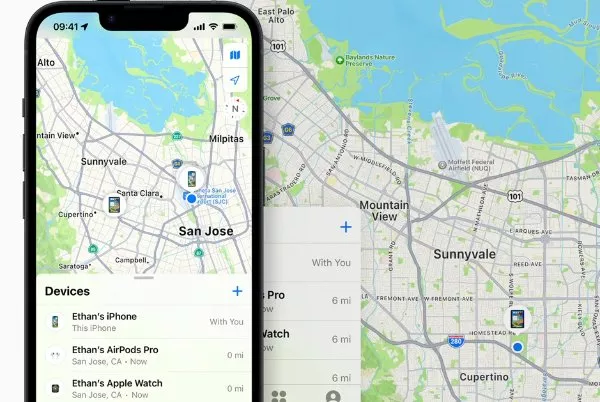
How to Control Our iPhone Remotely
Play Sound: The device will play loudly even when set to silent.
Lock: The device can be locked remotely with a secure password.
Erase: Data on the device can be remotely and completely erased.
Family Sharing: Family members' devices can be easily tracked.
Location Sharing: We can easily share our location. 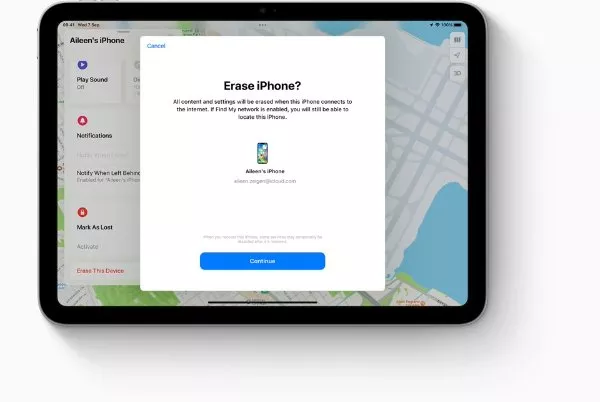
Frequently Asked Questions
How do I turn off Find My iPhone?
Go to Settings > Apple ID > Find My iPhone > turn off. You will be prompted to enter a password.
Can we use Find My iPhone from an Android phone?
No, this feature is only compatible with Apple devices.
How can we hide the location of our iPhone?
You can turn off app-based location permissions in Settings > Privacy > Location Services.
What should you do if your iPhone is stolen?
1. Let's inform the police.
2. Let's check its location using Find My iPhone.
3. Let's lock or wipe the device remotely.
4. Let's contact the operator to cancel the line.
How accurately does Find My iPhone work?
While it varies depending on internet and GPS connectivity, it generally provides high accuracy.
What can be done if Find My iPhone is not active?
We need to stick to the old ways: trying to remember where we lost it and contacting lost and found units in likely locations (office, library, etc.) is the best approach.